UI UX Design / Motion
EUI Voice Assistant
A mobile voice assistant experience exploring smoother command flows, feedback, and visualized voice interaction.

Team Manager, Designer, Engineer
Summary
Voice Assistant is a project I worked on at LeEco in 2015. The project explored the use of voice interaction to control mobile phones and the use of user scenarios and user usage. It also sought to build a function that was suitable for a variety of people. In terms of the user experience, the improvement of the success rate of tasks was the main focus. Users hoped to make the voice assistant into a real assistant, not just a chatting robot. Because voice commands are non-linear, we hoped to find the unique value of voice control itself. The project used innovative means of breaking voice interaction restrictions through online testing, thereby improving the product. Similar functions appeared on iOS and other voice assistants after we launched.
Background
The voice assistant is an application built into the Letv phone. We want to define it as an assistant for the user, using his voice for operation.
Problems
The difficulty of the design lies in the process of handling the speech interaction smoothly, as we do not want to frustrate the users when they use this function. Also, should the speech interaction operate in the same way as other types, such as speech interaction without screen? These are the answers that this project is looking for.
What I did
- research on product usage scenarios
- research into user journeys
- created design rules for card-based concepts and provided standards to third parties
- Creation of a set of interactive effects for the VUI
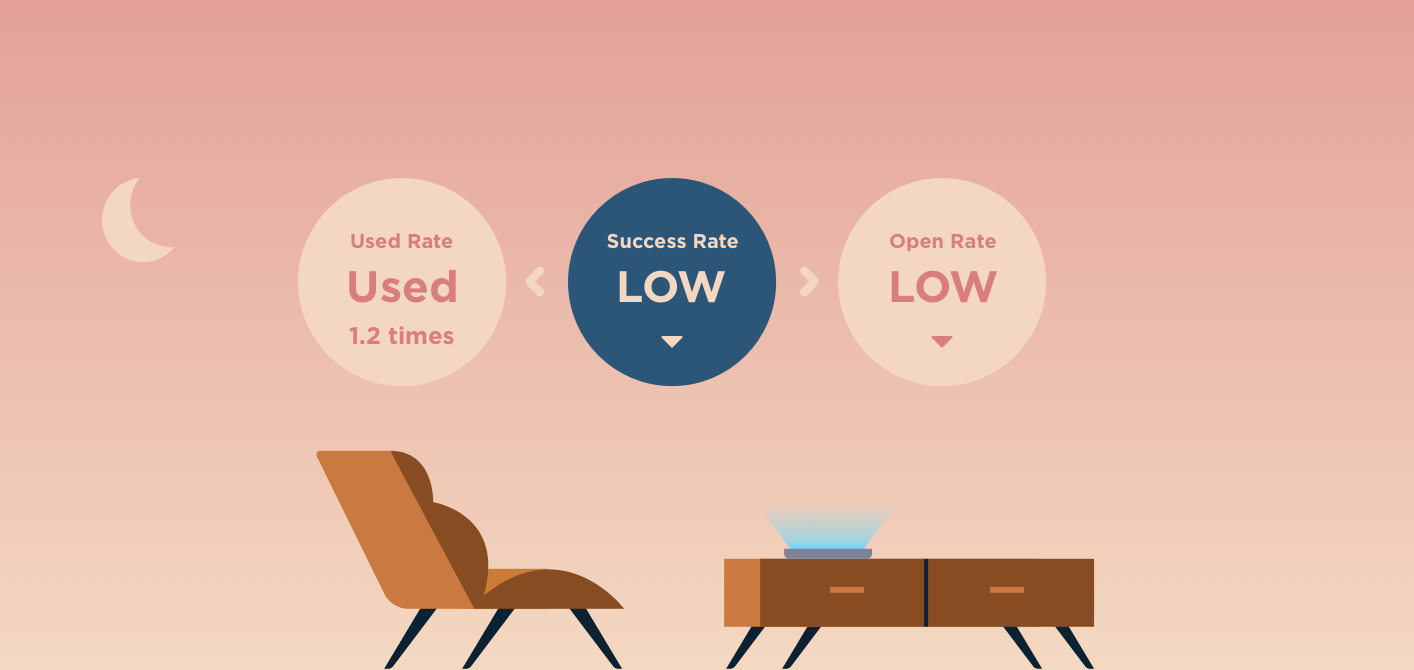
User Scene
According to research on users, the voice assistant is often not utilized in outdoor or mobile scenarios. More often, it is used in relatively idle, non-emergency circumstances.It is different from the non-screen operation mode of a smart speaker. The voice assistant of a mobile phone is often utilized in close proximity and replaces some of the phone’s touch functions with higher operation levels.According to the display of user data, the voice assistant is used 1.2 times on average, with low success and repeated activation rate. The function usually appears shortly after the machine is powered on, indicating that the user would generally try the voice assistant function right away, but due to its low success rate, people are not as interested in the voice assistant as before, which has led to a lower frequency of use.
Research
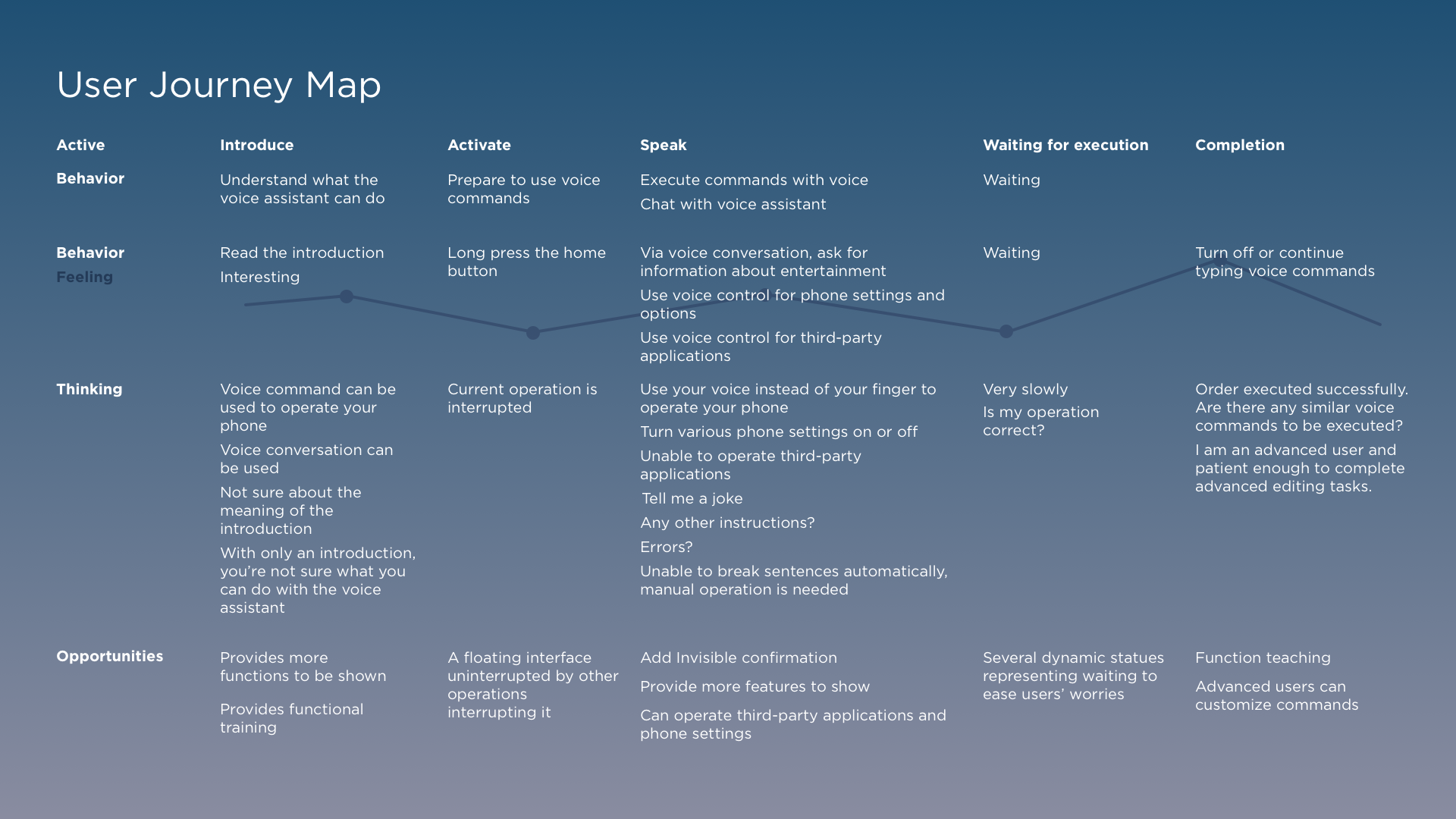
Problem analysis
After integrating all the experiences and user feedback, we found that the issues might be:
- The voice assistant is not so smart after all.
- It’s just a voice assistant that forces users to continually speak. Operation is not smooth, and it interrupts the users’ daily routines. It has low recognition rate and high error rate.
- It needs to be stopped manually.
- The functions of voice assistant are not clear to users. There are too many limits and functions that cannot be controlled by voice assistant.
Summary
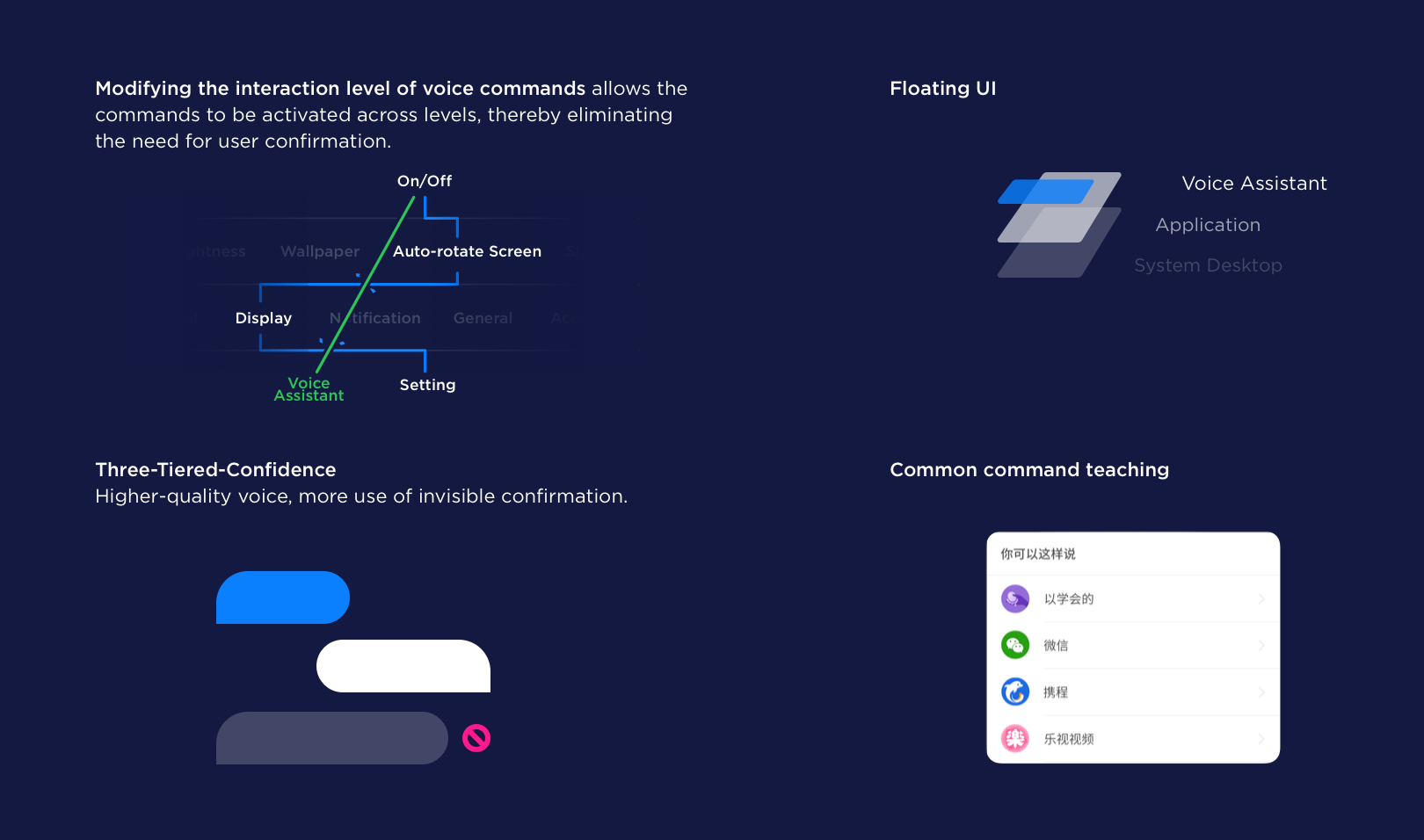
Therefore, the problem of voice assistant lies in the fact that although it’s made intelligent, its technology is underdeveloped, which reveals all its disadvantages. In terms of scenarios of use, the interaction with the voice assistant is not made to replace touch functions. Instead, it provides another way of interaction. Also, the screen of the mobile phone can be included in the speech interaction, thus providing a supplementary visual cue.As for the user’s experience, the improvement of the success rate of tasks would be the main focus. Users hope to change the voice assistant into a real assistant, not just a chatting robot. As voice commands are non-linear, we hope to find the unique value of the voice control itself.
- Modify the interaction level of voice commands
- Three-Tiered-Confidence
- Floating action UI
- Break the boundaries of voice control
- Common command teaching
- Invisible confirmation
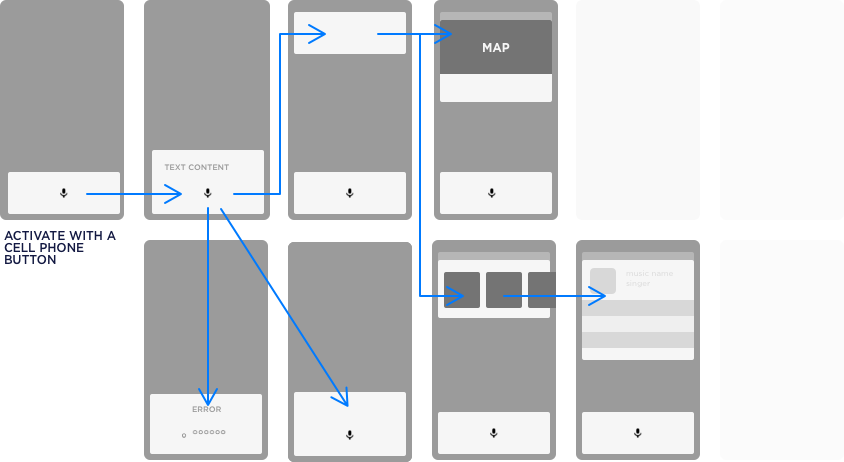
Wireframe
Expert function
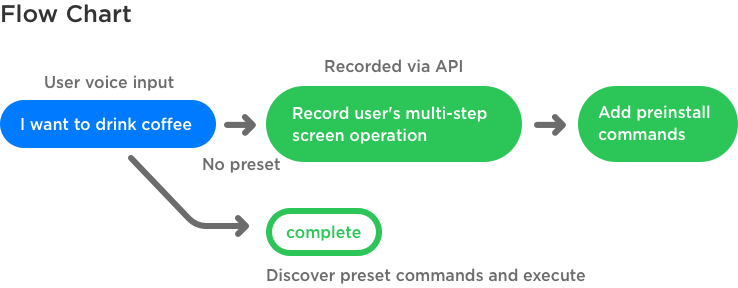
Advanced users can customize commands The user recording steps uses voice activation to integrate common multi-step tasks into one step. At the same time, the advanced user can share the completed steps with the community, and an amateur can use it without editing.
Overview
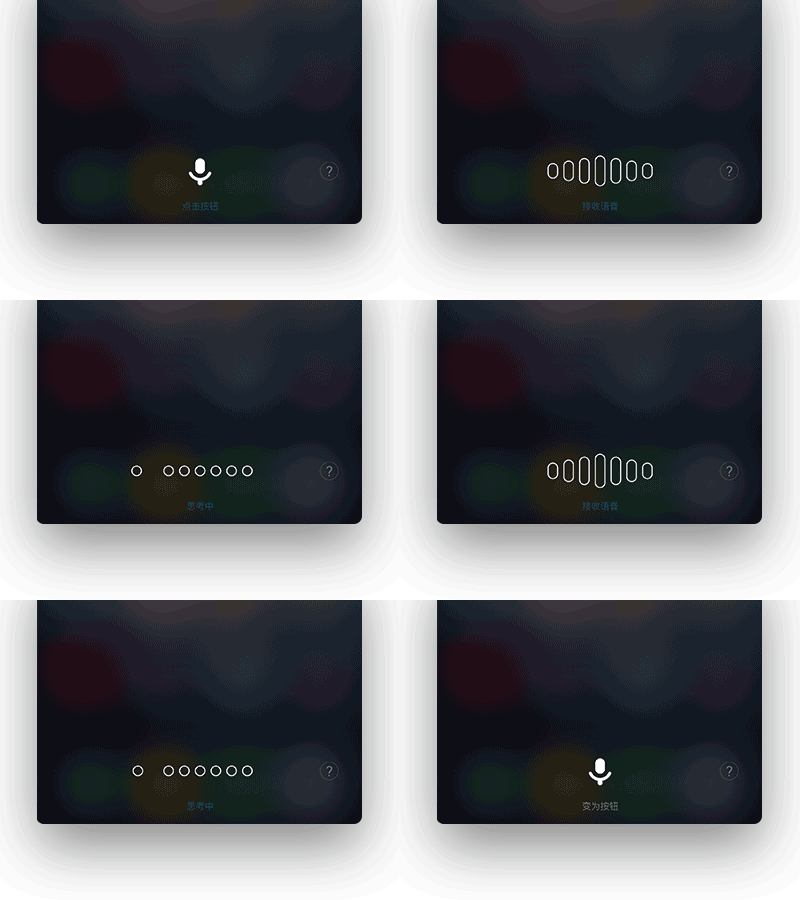
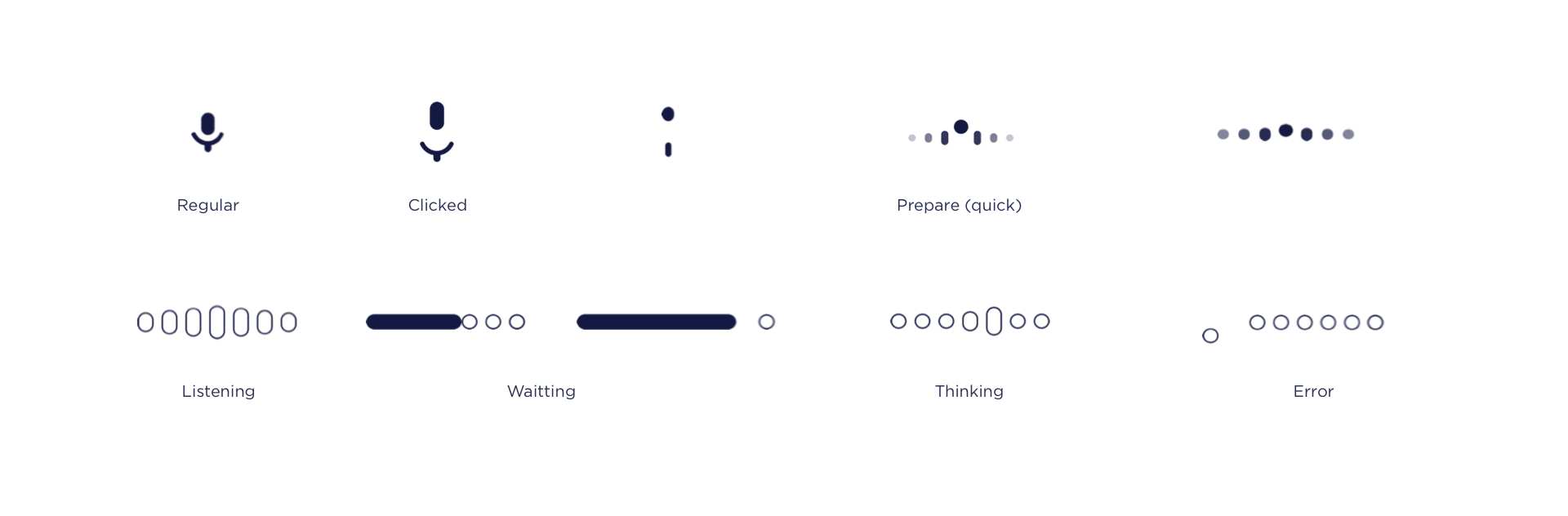
Visualization for VUI What we hope to convey is an enthusiastic, friendly, and positive image of voice command. We have tried different methods toward this purpose — cartoon image, linear type, point-like visual expression, and so forth — and we finally chose the dot pattern with an obvious motion and a very clear status display.The voice motion design has the following seven states. Various states can be connected to each other to indicate the current state of the program quickly.
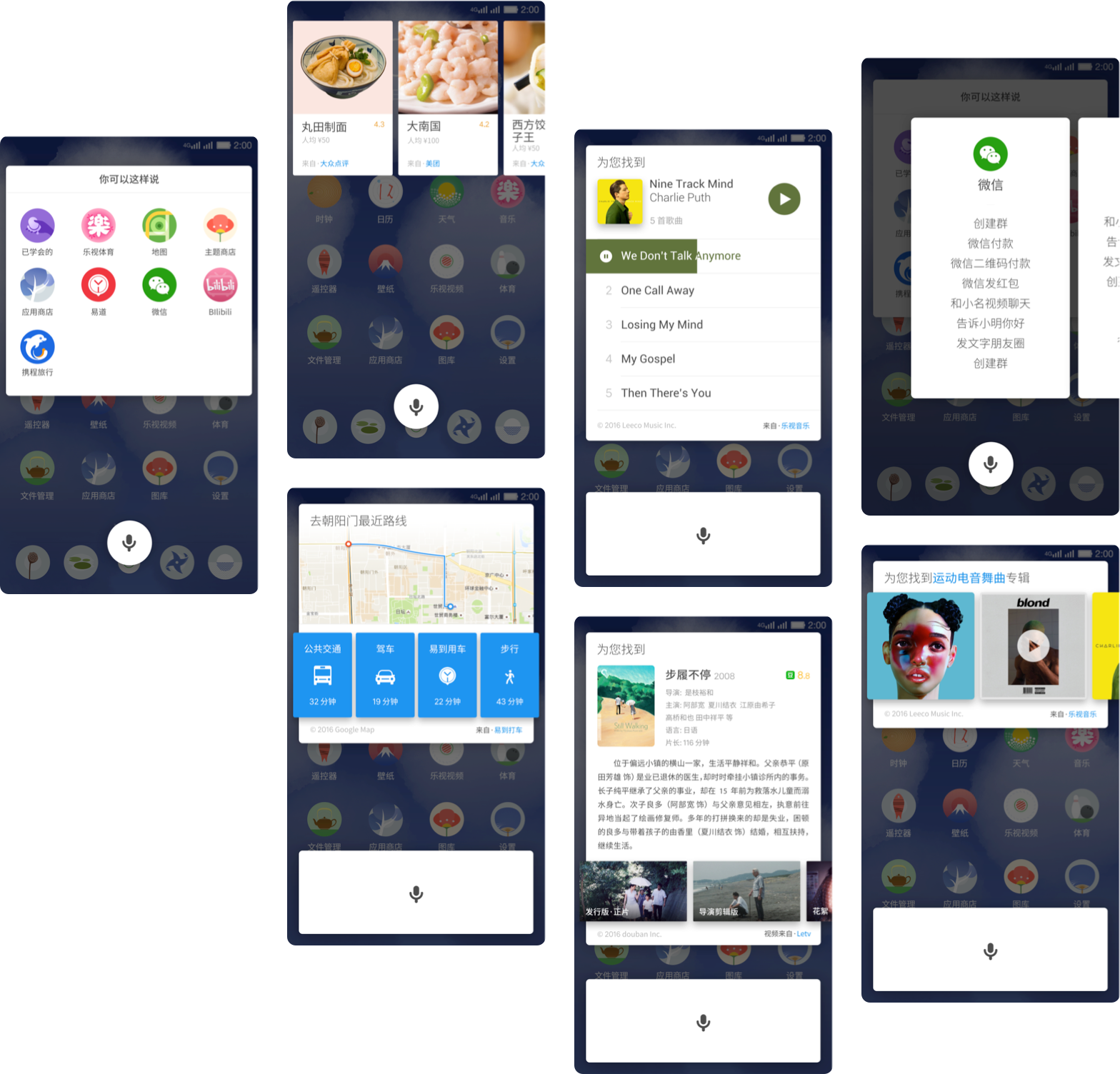
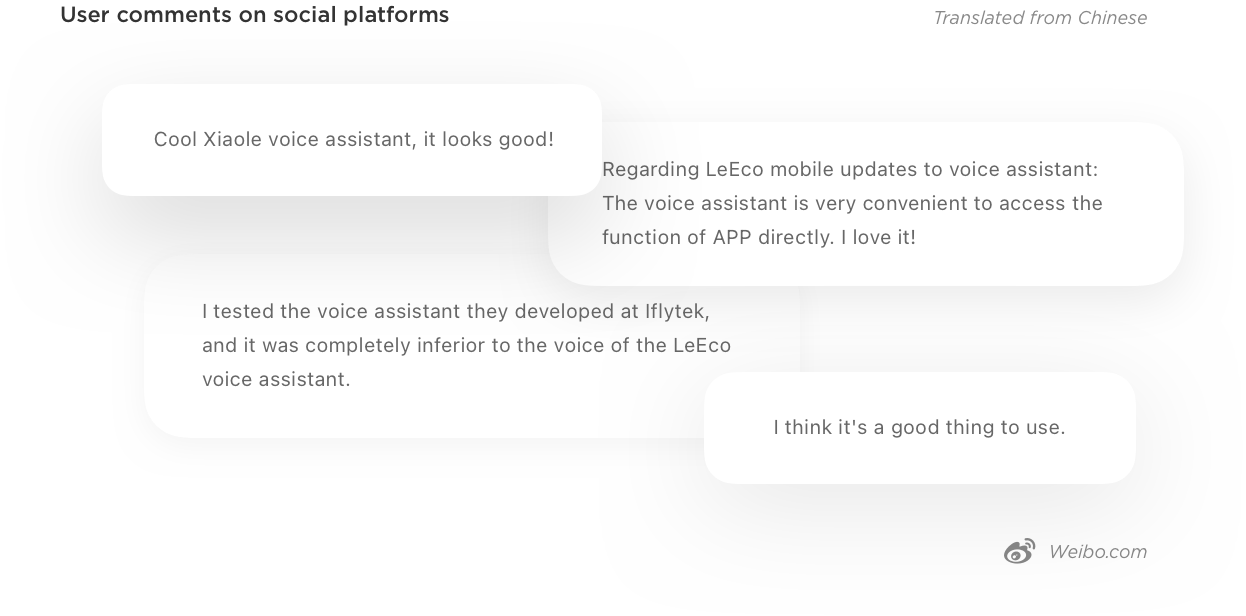
After on-line data The number and percentage of users activating the program has greatly increased, especially after we started receiving positive feedback from users. Most people using the program frequently choose the custom command function. My Role UX & Motion Designer